Access control
Project access comes from direct user membership or membership in a team linked to the project. Team or user visibility alone does not grant project access.
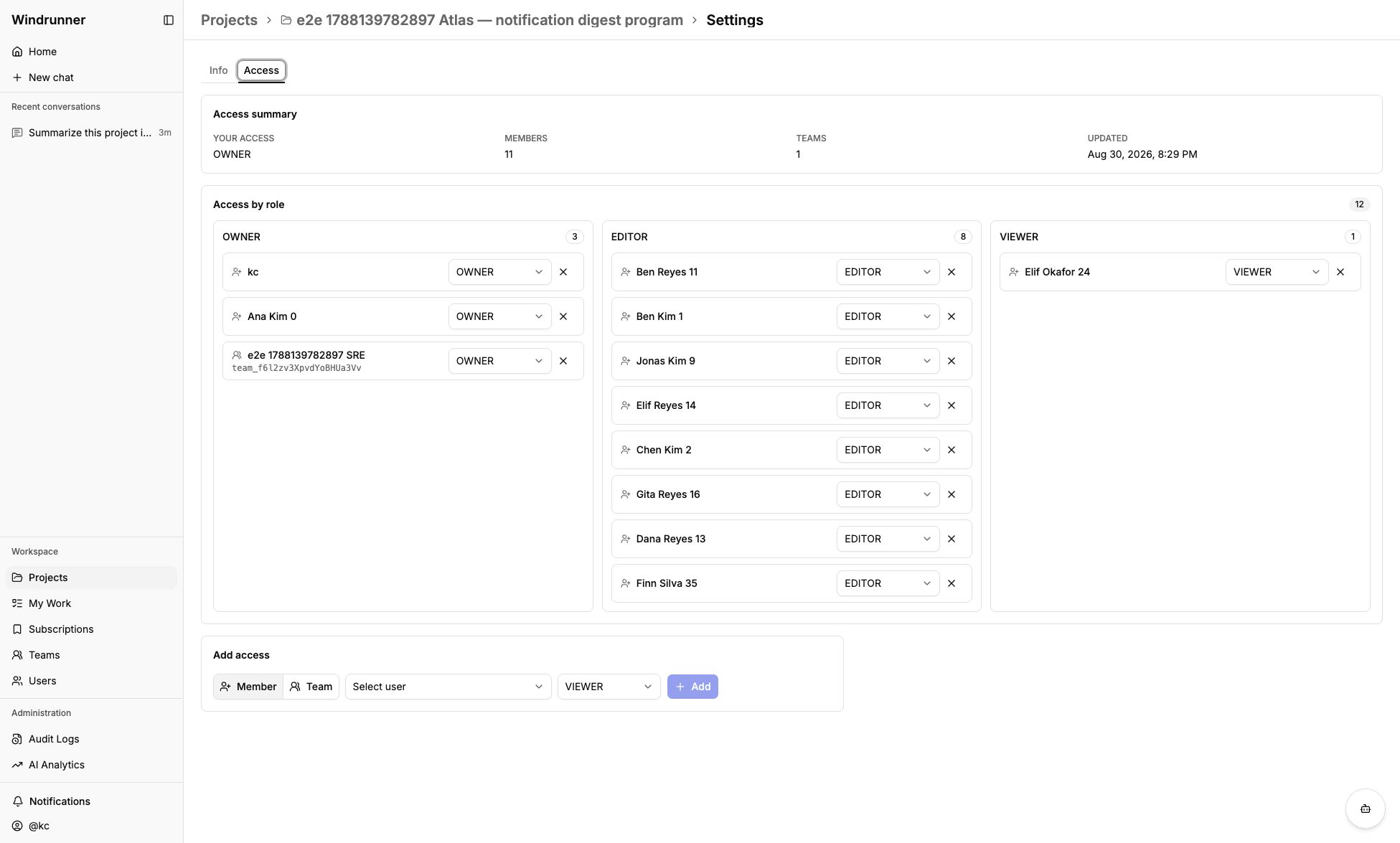
Owners manage project access from Project settings → Access. The page shows
your effective access, member and team counts, each assigned role, and controls
to add a user or team as a VIEWER, EDITOR, or OWNER.
Platform roles
| Role | Access |
|---|---|
USER | Access projects assigned to the user or their teams. |
ADMIN | Manage users and teams; open Administration pages. |
SUPERADMIN | Full platform access, including all projects and Administration pages. |
Admins and superadmins can open Audit Logs and AI Analytics. An admin does not automatically become a member of every project.
Project roles
| Role | Access |
|---|---|
VIEWER | Read project records and history. |
EDITOR | Create and edit work items, entries, and relationships. |
OWNER | Manage project access and settings, in addition to editor access. |
Projects always require at least one owner. A team inherits the project role assigned to it, and its members inherit that project access.
Team roles
| Role | Access |
|---|---|
TEAM_MEMBER | Belong to the team and inherit its project access. |
TEAM_OWNER | Review and decide join requests. |
Administrators manage team records, membership, and project links. Team ownership does not replace a project role.